KIB Tank Monitor System Manual: Overview
This manual details the KIB Tank Monitor System, featuring the L-Panel 4․3 display and TMSC-100 control board․
It covers installation, operation, and troubleshooting for RV tank level monitoring․
System Components
The KIB Tank Monitor System comprises several key components working in harmony to provide accurate tank level readings․ These include the L-Panel 4․3 Display (Newmar Part Number: 137131), serving as the user interface for visualizing tank levels; Central to the system is the TMSC-100 Control Board (Newmar Part Number: 137127), responsible for processing sensor data and communicating with the display․
Essential are the tank sensors themselves, monitoring fresh, grey, and black water levels․ Finally, the system requires appropriate wiring and connectors for seamless integration, ensuring reliable data transmission between all components․ These elements collectively deliver a comprehensive tank monitoring solution for recreational vehicles․
Intended Use & Applications
The KIB Tank Monitor System is designed for monitoring the levels of fresh, grey, and black water tanks in recreational vehicles (RVs)․ Its primary function is to provide RV owners with accurate, real-time information regarding tank capacity, preventing overfilling and ensuring convenient waste management․ Applications extend to various RV types, including Class A, B, and C motorhomes, as well as travel trailers and fifth wheels․
This system is particularly valuable for extended trips, allowing users to proactively manage their resources․ It enhances the overall RV experience by eliminating guesswork and promoting responsible water usage․ The system’s robust design ensures reliable performance even in demanding travel conditions․
Safety Precautions
Prior to installation and operation, carefully review all instructions․ Disconnect the RV’s power supply before commencing any wiring procedures to prevent electrical shock․ Ensure proper grounding of the control board (TMSC-100) to minimize the risk of short circuits․ Avoid exposing the monitor panel (L-Panel 4․3) to excessive moisture or extreme temperatures, as this may cause damage or malfunction․
Do not attempt to disassemble or modify the system components․ Improper handling can compromise safety and void the warranty․ If any damage is detected, discontinue use immediately and contact qualified personnel for assistance․ Always adhere to local electrical codes and regulations during installation․

Installation Guide
This section provides step-by-step instructions for installing the KIB Tank Monitor System, including mounting the panel, wiring the control board, and sensor placement;
Mounting the Monitor Panel
Securely mounting the L-Panel 4․3 is crucial for optimal viewing and system functionality․ Choose a location within easy reach of the driver or passenger, avoiding direct sunlight which can affect display clarity․ Ensure the mounting surface is flat and stable to prevent vibrations․
Utilize appropriate screws or adhesive tape (not included) suitable for the RV’s interior materials․ Carefully align the panel, ensuring it’s level before fully securing it․ Avoid obstructing any existing controls or features․ RecPro offers compatible mounting solutions, enhancing the installation process․ Double-check the panel’s stability after installation to guarantee long-term reliability during travel․
Wiring the Control Board (TMSC-100)
Proper wiring of the TMSC-100 control board is essential for accurate tank level readings․ Before connecting any wires, disconnect the RV’s main power supply․ Identify the appropriate power, ground, and sensor input terminals on the board․
Connect the positive and negative wires to the designated power terminals, ensuring correct polarity․ Securely attach the sensor wires to their corresponding input terminals, referencing the wiring diagram․ Double-check all connections for tightness and insulation to prevent shorts․ A well-organized wiring setup minimizes interference and ensures reliable system operation․ Refer to the detailed wiring schematic for specific configurations․
Sensor Placement & Installation
Optimal sensor placement is crucial for accurate tank level monitoring․ Mount sensors vertically inside the tanks, ensuring they are securely fastened and fully submerged in the liquid at all times․ Avoid placing sensors directly under inlet or outlet pipes, as this can cause inaccurate readings due to turbulence․
Use appropriate mounting hardware compatible with the tank material․ Ensure sensors are spaced evenly to provide a representative sample of the tank’s contents․ Proper installation prevents sensor movement and maintains consistent contact with the liquid, leading to reliable and precise tank level data․ Follow the provided diagrams for recommended sensor locations․
Connecting Sensors to the Control Board
Carefully connect each sensor to the TMSC-100 control board, referencing the wiring diagram․ Ensure proper polarity – typically, sensors have designated positive and negative leads․ Incorrect wiring can damage the sensors or control board․ Use appropriately sized wiring and secure connections to prevent signal interference and ensure reliable data transmission․
Double-check all connections before powering on the system․ The control board features labeled terminals for each sensor input․ Tighten screws securely, but avoid over-tightening, which could strip the threads․ A secure and correct connection is vital for accurate tank level readings and system functionality․
Understanding the Monitor Panel Display
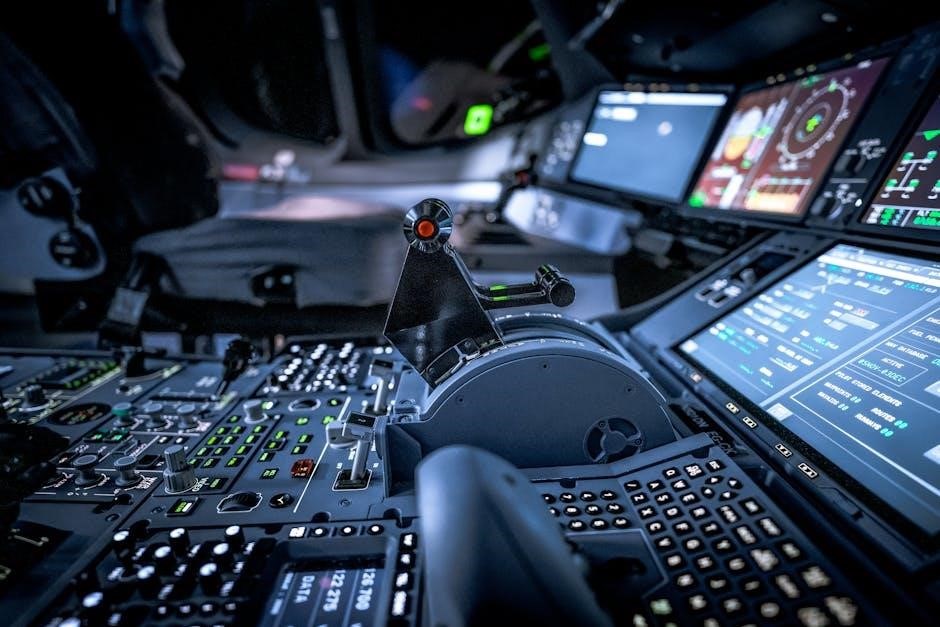
The 4․3-inch display visually represents tank levels using intuitive icons and indicators․ It provides clear readings and alerts for fresh, grey, and black water tanks․
Display Icons & Indicators
The KIB Tank Monitor System’s display utilizes a series of icons to communicate tank status effectively․ Each tank – fresh, grey, and black – is represented by a distinct icon that visually fills to indicate the current liquid level․ Empty tanks show no fill, while full tanks display a completely filled icon․
Additional indicators alert users to critical conditions․ A flashing icon may signify a low tank level or a potential system error․ The display also incorporates indicators for sensor communication status, ensuring reliable data transmission from the sensors to the control board․ Understanding these icons and indicators is crucial for proper system monitoring and maintenance, allowing for timely responses to tank level changes and potential issues․
Tank Level Representation
The KIB Tank Monitor System presents tank levels through a clear, graphical interface on the L-Panel 4․3 display․ Each tank’s capacity is divided into segments, visually representing the fill percentage․ As the tank fills, the corresponding segment illuminates, providing an immediate and intuitive understanding of the remaining capacity․
The system employs a progressive fill display, meaning segments illuminate incrementally as the tank level rises․ This allows for precise monitoring, avoiding the ambiguity of simple “full” or “empty” indicators․ Users can quickly assess the amount of usable water or waste, facilitating efficient resource management during RV travel․ Accurate tank level representation is vital for preventing overfilling or running dry․
Error Codes & Troubleshooting
The KIB Tank Monitor System utilizes error codes to diagnose potential issues․ A “No Display” error often indicates a power supply problem or a faulty connection to the TMSC-100 control board; verify power and wiring; Inaccurate readings suggest sensor calibration is needed or a sensor malfunction; recalibrate or replace the sensor․
Sensor communication errors typically point to wiring issues or interference; inspect connections and shielding․ Control board malfunctions may require professional repair or replacement․ Refer to the full troubleshooting guide for a comprehensive list of error codes and corresponding solutions․ Regular system checks can prevent unexpected failures during travel․
Backlight Adjustment
The KIB Tank Monitor System’s L-Panel 4․3 display features adjustable backlight settings for optimal visibility in varying lighting conditions․ To adjust the backlight, navigate to the ‘Settings’ menu on the monitor panel using the control buttons․ Within the settings, locate the ‘Backlight’ option and use the buttons to increase or decrease the intensity․
Experiment with different levels to find a comfortable brightness for both daytime and nighttime use․ A dimmer setting conserves power, while a brighter setting enhances readability․ Ensure the backlight is appropriately adjusted for clear tank level monitoring during all travel conditions․
Control Board (TMSC-100) Configuration
The TMSC-100 control board requires configuration for accurate readings․ This includes calibration, sensor type selection, and communication protocol settings for optimal performance․
Calibration Procedure
Accurate tank level readings depend on proper calibration of the TMSC-100 control board․ Begin by ensuring all tanks are completely empty․ Access the calibration menu via the monitor panel display․ The system will prompt you to fill each tank individually to a known level – typically full․
As each tank fills, confirm the displayed level matches the actual level․ Adjust the calibration settings as needed until the displayed reading aligns with the physical tank level․ Repeat this process for each tank, ensuring precise adjustments․ Save the calibration data after completing all tanks․ Incorrect calibration will lead to inaccurate readings, so meticulous attention to detail is crucial during this procedure․
Sensor Type Configuration
The TMSC-100 supports various sensor types, requiring correct configuration for optimal performance․ Access the “Sensor Configuration” menu on the monitor panel․ Here, you can specify the type of sensor connected to each input – resistive or capacitive․ Ensure the selected sensor type accurately reflects the installed hardware․
Incorrect sensor type selection will result in inaccurate readings or system malfunction․ The system may also offer options for sensor range and resolution․ Adjust these parameters based on the specific sensor specifications․ Save the configuration after making changes․ Refer to the sensor documentation for recommended settings and compatibility information․
Communication Protocol Settings
The TMSC-100 utilizes a specific communication protocol to interact with the monitor panel and sensors․ While typically pre-configured, advanced users may need to adjust these settings․ Access the “Communication Settings” menu via the monitor panel interface․ Options may include baud rate, data bits, parity, and stop bits․
Incorrect protocol settings can lead to communication errors and data loss․ Ensure these settings match the specifications of your connected devices․ Modifying these settings without proper knowledge can render the system inoperable․ Consult the technical specifications or contact KIB support before making changes․ Save any alterations and test the connection thoroughly․
Firmware Updates
Maintaining up-to-date firmware on the TMSC-100 is crucial for optimal performance and access to the latest features․ Check the KIB website regularly for available updates․ Firmware updates are typically delivered as downloadable files․ Follow the on-screen instructions carefully during the update process․
A stable power supply is essential during firmware updates to prevent data corruption․ Interrupting the update can render the control board unusable․ The monitor panel will guide you through the process, displaying progress and confirmation messages․ Always back up your current configuration before initiating an update, if possible․
Sensor Technology & Specifications
The KIB system supports various sensor types, offering accuracy and range for diverse tank materials․ Power requirements and compatibility are detailed for optimal performance․
Sensor Types Supported
The KIB Tank Monitor System is designed for compatibility with a range of sensor technologies, providing flexibility for various recreational vehicle (RV) configurations․ Primarily, the system supports adhesive-type sensors, commonly utilized for monitoring fresh, gray, and black water tank levels․ These sensors are easily installed and offer reliable performance when properly applied to the exterior of the tank․
Furthermore, the TMSC-100 control board can accommodate different sensor resistances, allowing for customization based on specific tank materials and sensor brands․ While the system is optimized for standard adhesive sensors, compatibility with other sensor types may be achievable through appropriate configuration settings within the control board’s interface․ Detailed specifications regarding supported sensor resistance ranges are available in the technical documentation․
Sensor Accuracy & Range
The accuracy of the KIB Tank Monitor System is dependent on proper sensor installation and calibration․ Typically, the system provides tank level readings with an accuracy of +/- 5%, assuming sensors are correctly positioned and adhered to the tank surface․ The effective range of the sensors covers the entire tank capacity, from empty to full, with resolution allowing for discernible level increments․
However, factors like tank material, sensor age, and environmental conditions can influence accuracy․ Regular calibration, as outlined in the configuration section, is crucial for maintaining optimal performance․ The system is designed to reliably detect changes in tank levels, providing users with a clear indication of remaining capacity for informed resource management during RV travel․
Sensor Power Requirements
KIB Tank Monitor System sensors operate on a low-voltage DC power supply, provided by the TMSC-100 control board․ Each sensor requires approximately 3․3V DC with a current draw of less than 20mA during operation․ The control board is designed to efficiently distribute power to all connected sensors, ensuring reliable performance without excessive energy consumption․
It’s crucial to connect the sensors to the control board using the specified wiring configuration to avoid damaging the sensors or the control board․ The system is designed for 12V DC RV systems, and proper voltage regulation is essential․ Do not exceed the specified voltage limits, as this may void the warranty and compromise system functionality․
Sensor Material Compatibility
KIB Tank Monitor System sensors are designed for compatibility with a wide range of tank materials commonly used in RVs and other applications․ These include polyethylene (plastic), polypropylene, and fiberglass․ However, compatibility with metal tanks (aluminum or steel) is limited due to potential signal interference․
Avoid using sensors with tanks containing highly corrosive chemicals or solvents, as this may damage the sensor’s components and lead to inaccurate readings․ Ensure the sensor is fully immersed in the liquid being monitored and does not come into direct contact with any abrasive materials․ Proper material selection ensures long-term reliability and accurate tank level monitoring․
Troubleshooting Common Issues
This section provides solutions for typical problems like no display, inaccurate readings, sensor communication errors, and control board malfunctions within the KIB system․
No Display on Monitor Panel
If the monitor panel exhibits a blank screen, begin by verifying the power supply connection to both the TMSC-100 control board and the L-Panel 4․3 display itself․ Ensure the wiring is secure and that the correct voltage is being supplied – consult the technical specifications for precise requirements․
Next, check the fuse associated with the monitor panel’s power circuit; a blown fuse is a common cause of display failure․ If the fuse is intact, inspect the data cable connecting the control board to the display for any damage or loose connections․ A faulty cable can interrupt signal transmission․ Finally, attempt a system reset by briefly disconnecting the power to the control board․ If the issue persists, further investigation of the control board may be necessary․
Inaccurate Tank Level Readings
If the tank level readings are consistently inaccurate, the first step is to perform a recalibration of the system through the TMSC-100 control board’s configuration menu․ Ensure the sensor type is correctly configured to match the sensors installed in your tanks․ Verify proper sensor placement; sensors must be securely mounted and fully immersed in the tank liquid for accurate readings․
Inspect the sensors themselves for any buildup of debris or corrosion, as this can interfere with their operation․ Additionally, confirm there are no air pockets trapped around the sensors․ If inaccuracies persist after these checks, consider the possibility of a failing sensor and test each sensor individually․
Sensor Communication Errors
Sensor communication errors typically manifest as erratic readings or a complete loss of signal from one or more sensors․ First, meticulously inspect all wiring connections between the sensors and the TMSC-100 control board, ensuring they are secure and free from corrosion․ Verify the correct communication protocol is selected within the control board’s configuration settings․
If the issue persists, attempt a power cycle of both the monitor panel and the control board․ Consider the possibility of interference from other electronic devices near the wiring․ A failing sensor or damaged wiring can also cause communication failures; testing sensors individually can help isolate the problem․
Control Board Malfunctions
Control board malfunctions can range from complete failure to intermittent operational issues․ Symptoms include a blank monitor display, unresponsive controls, or consistently inaccurate tank level readings․ Begin by verifying the control board’s power supply – ensure correct voltage and polarity․ Inspect the board for any visible signs of damage, such as burnt components or loose connections․
Attempt a firmware update, as outdated firmware can sometimes cause instability․ If the problem persists, a factory reset may restore functionality, but will erase custom settings․ If these steps fail, the TMSC-100 likely requires replacement․

Technical Specifications
The KIB system features a 4․3-inch display, TMSC-100 control board, and supports various tank materials․ Operating temperatures range widely, ensuring reliable performance in diverse environments․
Monitor Panel Dimensions & Power
The KIB Tank Monitor System’s L-Panel 4․3 display is designed for convenient RV integration․ Precise dimensions are crucial for proper mounting within existing panel cutouts․ While specific dimensions aren’t explicitly detailed in the provided sources, the 4․3-inch designation indicates the diagonal screen size․
Power requirements are also essential for installation․ The system typically operates on 12V DC power, common in RV electrical systems․ Ensure compatibility with your RV’s power supply to avoid damage․ RecPro’s product page highlights the monitor panel as part of a complete system, suggesting a straightforward power connection via the control board․ Proper voltage regulation is recommended for optimal performance and longevity of the display unit․
Control Board Dimensions & Power
The KIB Tank Monitor System’s TMSC-100 control board serves as the central processing unit, managing sensor data and display communication․ Specific dimensional details aren’t readily available in the provided excerpts, but it’s designed for discreet mounting within an RV’s infrastructure․
Like the monitor panel, the TMSC-100 typically operates on a 12V DC power source, aligning with standard RV electrical systems․ Proper wiring and fusing are critical for safe and reliable operation․ The control board receives signals from tank sensors and transmits data to the L-Panel 4․3 display․ Ensuring a stable power supply is vital for accurate readings and preventing system malfunctions․ RecPro emphasizes the board’s role in a complete monitoring solution․
Supported Tank Materials
The KIB Tank Monitor System demonstrates compatibility with a wide range of tank materials commonly used in recreational vehicles․ This includes polyethylene (plastic), polypropylene, and potentially fiberglass tanks, depending on sensor type and installation․ However, direct contact between sensors and metallic tanks (like aluminum or steel) is generally not recommended without appropriate isolation․
Material compatibility is crucial for accurate readings and preventing corrosion or sensor damage․ The system’s sensors are designed to function effectively within non-conductive tank environments․ RecPro’s systems are built for durability, but verifying tank material suitability before installation is always advised to ensure long-term performance and avoid potential issues․
Operating Temperature Range
The KIB Tank Monitor System is engineered for reliable performance across a broad spectrum of environmental conditions typically encountered in RV usage․ The system’s operational temperature range spans from 32°F to 122°F (0°C to 50°C)․ However, prolonged exposure to temperatures outside this range may affect sensor accuracy or potentially cause temporary malfunctions․
Extreme cold can increase sensor resistance, while excessive heat might lead to signal drift․ It’s crucial to protect the control board and monitor panel from direct sunlight and moisture․ Proper insulation within the RV can help maintain optimal operating temperatures, ensuring consistent and accurate tank level readings throughout the year․
Maintenance & Care
Regular inspection of wiring and sensors is recommended․ Clean the monitor panel with a soft cloth․ Store the system in a dry place when not in use․
Cleaning the Monitor Panel
To ensure optimal visibility and longevity of your KIB Tank Monitor System’s display panel, regular cleaning is essential․ Always disconnect the power supply before commencing any cleaning procedure to prevent electrical shock or damage to the sensitive electronic components․ Use a soft, lint-free cloth lightly dampened with a mild, non-abrasive cleaning solution – a mixture of water and a small amount of dish soap is generally suitable․
Avoid harsh chemicals, solvents, or abrasive cleaners, as these can damage the screen’s surface and potentially void the warranty․ Gently wipe the display surface in a circular motion, removing any dust, fingerprints, or smudges․ Ensure no liquid enters the panel’s internal components; After cleaning, use a dry, lint-free cloth to thoroughly dry the display before reconnecting the power․
Inspecting Wiring Connections
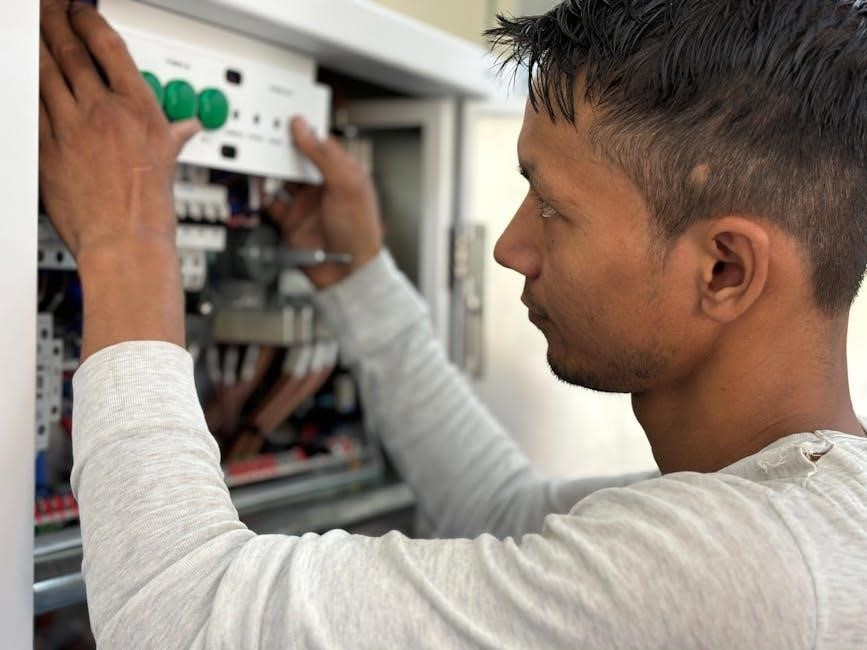
Regular inspection of all wiring connections is crucial for maintaining the reliable operation of your KIB Tank Monitor System․ Begin by visually examining all wires for any signs of damage, such as fraying, cracking, or corrosion․ Pay close attention to connections at the control board (TMSC-100) and the monitor panel itself․ Gently tug on each wire to ensure it is securely fastened to its terminal․
Loose connections can lead to intermittent readings or complete system failure․ If any corrosion is present, carefully clean the terminals with a contact cleaner specifically designed for electronics․ Ensure the power is disconnected during inspection․ Replace any damaged wires immediately․ Properly routed and secured wiring prevents strain and potential disconnections during vehicle operation․
Sensor Cleaning & Inspection
Maintaining clean and undamaged sensors is vital for accurate tank level readings․ Periodically inspect each sensor for physical damage, such as cracks or punctures, which could compromise their functionality․ Carefully remove any debris or buildup that may have accumulated on the sensor surface․ A mild soap and water solution is generally sufficient for cleaning; avoid harsh chemicals or abrasive cleaners․
Ensure the sensors are securely mounted and haven’t shifted from their original positions․ Check the wiring connections at each sensor, verifying they are tight and free from corrosion․ Proper sensor maintenance extends the lifespan of the system and ensures consistent, reliable performance․ Replace any faulty sensors promptly․
Long-Term Storage Guidelines
Preparing the KIB Tank Monitor System for extended storage is crucial․ Before prolonged inactivity, thoroughly clean the monitor panel with a soft, dry cloth to remove dust and grime․ Disconnect the control board from the power source to prevent potential battery drain or electrical surges․ Store the control board and monitor panel in a cool, dry environment, shielded from direct sunlight and extreme temperatures․
Inspect all wiring connections for any signs of wear or damage before storage․ Consider covering the monitor panel to protect the display from scratches․ Proper storage ensures the system remains functional and ready for use when needed, maximizing its lifespan and reliability․